Pulse Icon
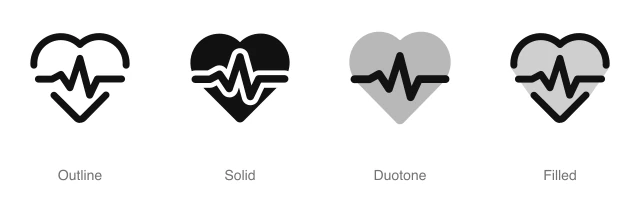
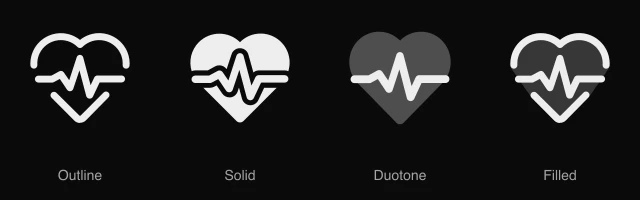
Heart with an ECG heartbeat line running across it, for vital signs, health tracking and fitness dashboards. Available in 4 styles (outline, solid, duotone and filled) as a React component you install with the shadcn CLI.
Preview
- 16px
- 20px
- 24px
- 32px
Install and code
Pulse icon in shadcn/ui components
Button
Icon button
Button group
Badge
Dropdown menu
Input group
Sidebar
Empty state
Pulse icon FAQ
What does this icon show?
Heart with an ECG heartbeat line running across it, for vital signs, health tracking and fitness dashboards. Typical uses: patient vital signs monitor, heart rate widget on a fitness dashboard and health tracking summary card.
When should I use it instead of a similar icon?
Use it for:
- Heart rate tiles on a fitness or wearable dashboard, beside the live bpm and a daily range
- Vital signs panels in a patient chart, above blood pressure, oxygen and temperature rows
- Cardiology departments and heart health services in a hospital or clinic directory
For likes and favorites on a workout, recipe or product card, use the Heart icon. For uptime and service health on a server monitoring dashboard, use the Chart Wave icon.
Which styles does it come in?
4 styles: Outline, Solid, Duotone and Filled. Every style is drawn on the same 24 by 24 grid and installs as its own file, so you can switch styles without touching the layout.
How do I install it with the shadcn CLI?
Copy the install command from the panel above, in the style you want, and run it in your project. The shadcn CLI adds the icon as a React component that you import and render like any other. It draws in the current text color, so your text color and size classes style it. Icon installs need a ReUI Ultimate license.
What icons go well with it?
Capsule and Test Tubes sit beside it in the same toolbar or menu. More from the same family and the Health set: Bandage, First Aid Kit, Flask and Mask.
When was it added?
It joined the ReUI icon library on June 30, 2026.
Icons related to Pulse
For AI Agents
Hand your agent this brief or the ReUI MCP, not a screenshot. Installs with a ReUI Ultimate license.
When to use
- Heart rate tiles on a fitness or wearable dashboard, beside the live bpm and a daily range
- Vital signs panels in a patient chart, above blood pressure, oxygen and temperature rows
- Cardiology departments and heart health services in a hospital or clinic directory
When not to use
- Likes and favorites on a workout, recipe or product card: use the Heart icon
- Uptime and service health on a server monitoring dashboard: use the Chart Wave icon
Agent notes
- Name an icon-only button with its label, "Measure heart rate", as the aria-label
Markdown
https://web.dev.reui.io/icons/preview/pulse.mdMCP
get_icon("pulse")Install
npx shadcn@latest add @reui/icons/default/duotone/pulseStart building with ReUI Pro today.
Every Pro block, every style, and every future addition, with one license for unlimited projects.
Get All-Access
From $249, once. Lifetime updates.